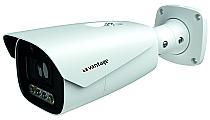
VV-NC91278B-AZWLIRT1
Dual Illumination 8MP IP Network Bullet Camera
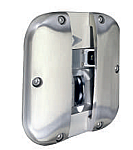
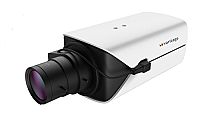
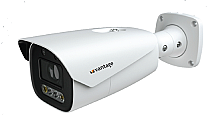
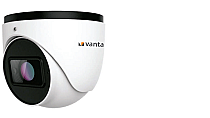
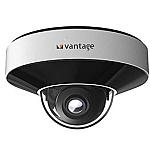
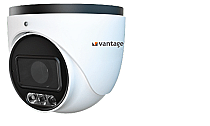
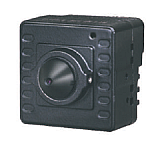
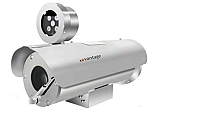
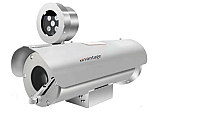
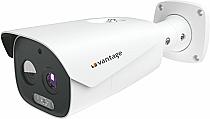
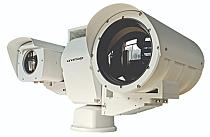
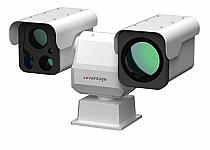
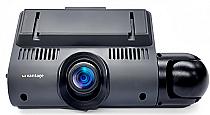
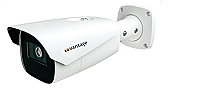
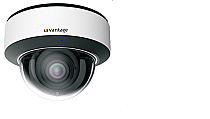
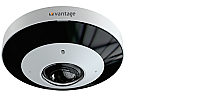
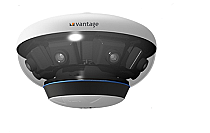
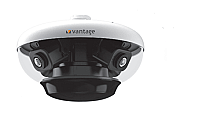
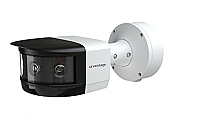
CCTV cameras are classified based on their application, features, and surveillance requirements, such as the following:
Dome Cameras - They are commonly used for indoor surveillance, ideal for shops and offices as they blend into the ceiling and are less noticeable.
Bullet Cameras - Preferred for outdoor areas like entrances and parking lots where you need to monitor longer distances.
PTZ Cameras - Allow pan, tilt, and zoom control for covering large areas such as warehouses or malls where security teams need to actively track movement.
Fisheye Cameras - Best suited for covering an entire room or open area with a single camera using a 360-degree view.
Multi-Sensor / Multi-Eye Cameras – Used in wide areas like campuses or large halls to reduce the number of cameras needed.
Thermal Cameras – For detecting heat signatures, for surveillance in complete darkness or critical environments.
ANPR/LPR Cameras – Capture and recognize vehicle number plates for traffic and access control.
Explosion-Proof Cameras – Built for hazardous environments like oil, gas, and chemical industries.
Face Recognition Cameras – Identify and verify individuals using advanced AI-based facial recognition.
A network IP camera, or CCTV IP camera, is a digital video camera that sends the video recorded data over an IP network (Wifi or Ethernet) rather than an analogue coax cable. Whereas an analog CCTV camera uses a direct wire connection to a DVR.
IP cameras offer:
Things to consider before buying a network IP camera:
By reviewing each of these you’ll pick a camera that works reliably for your environment.
With the advancement in artificial intelligence, CCTV cameras are smarter than ever before and have the ability to not just monitor and record but also create efficient responses when they're needed most. Some AI features available are listed below:
Other than the above-listed AI smart analytics, many others are also available for special use cases such as PPE detection, fall detection, behavior analysis, vehicle color and make recognition, heatmaps, loitering detection, crowd density, and much more.
The retention period depends on your storage capacity, number of cameras, recording resolution/frame rate, and whether recording is continuous or event-based.
To manage retention:
By planning retention, you ensure you have the footage when you need it and optimize storage costs.
Power over Ethernet (PoE) means that a single Ethernet cable provides both the network connection and electrical power to the IP camera.
Benefits:
Storage and bandwidth depend on several factors:
As a guideline: Estimate your bit rate, multiply by hours of recording and number of cameras, and choose storage capacity accordingly.
Yes, one of the advantages of IP cameras is remote access.
One can
Installation steps for IP Camera:
If you would like to get it installed by a professional, please contact the Vantage Security technical support team at techsupport@vantagesecurity.com
Image quality depends on multiple factors beyond just the sensor:
Lighting: Low light or very high contrast, like bright & dark areas, can degrade image clarity.
Resolution: The higher the resolution, the better the image quality.
Compression and bit rate: Over-compressing video may reduce the sharpness of the image.
Network issues: If bandwidth is insufficient or packet loss occurs, video may lag or drop frames.
Environmental factors: Weather, dust, fog, glare, and night-vision IR lighting all play a role.
Yes, typically you’ll need a recorder or storage system to capture and archive footage.
Key differences:
To keep your system running reliably, you should periodically:
Doing regular maintenance helps avoid long downtime or missed events.
Here are some of the best practices to secure your IP camera system from unauthorized access.
By taking these steps, you can protect your system against many of the common vulnerabilities.